
Gaming gets loud. ShoutDown helps them notice.
When your child gets too loud at the PC, they see a friendly countdown first. Still loud? ShoutDown can mute the sound, then lock the computer. You choose the steps.
7-day free trial, then £2.99 once. No subscription. Nothing is recorded.
How it works
A gentle nudge first. Firmer steps only if needed.
ShoutDown only steps in when it stays too loud for a few seconds. You decide which steps are switched on.
-
Always
It listens for loudness
The microphone is used only to measure how loud it is. Short bangs, like a door slam or a cough, are ignored.
-
Step 1
A friendly warning
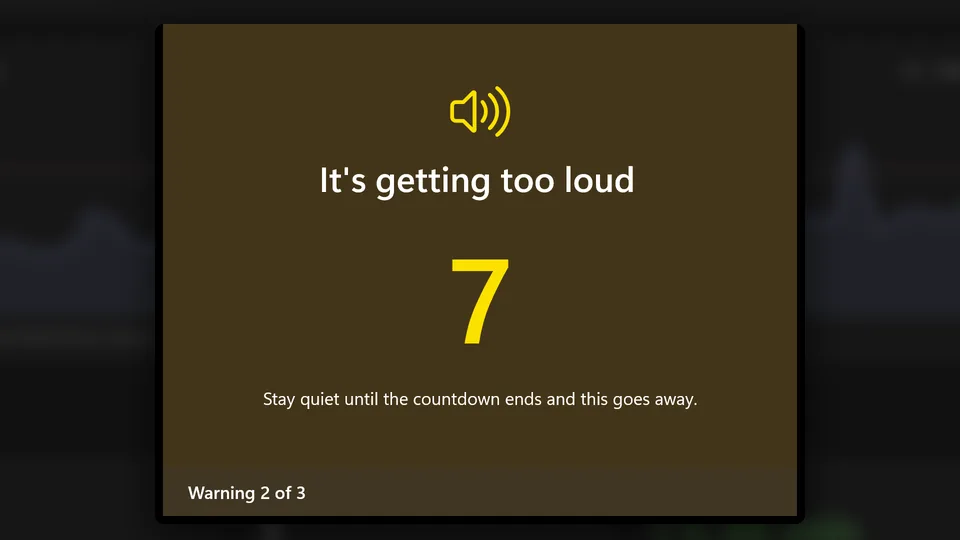
A big countdown appears: “It’s getting too loud. Warning 1 of 3.” Quiet down and it goes away.
-
Step 2
Mute the sound
Still loud? The PC sound mutes for a few minutes, then comes back by itself.
-
Step 3
Lock the PC
Still going? The computer locks. You decide if this step is on, and after how many warnings.
See it in 30 seconds
Made for parents
No decibels. No jargon.
Setup takes about two minutes. Everything is in plain words.
5-second calibration
ShoutDown listens to the room as it normally is, then suggests where the “too loud” line should go. Fine-tune it with a simple Whisper → Shouting slider.
Ignores short bangs
You choose how many seconds noise must last before it counts. A door slam or a cough won’t count.
Parent PIN
Opening, pausing, changing settings and closing the app all need your PIN.
Schedules
Homework time, school nights, bedtime. Each time slot can have its own rules.
History
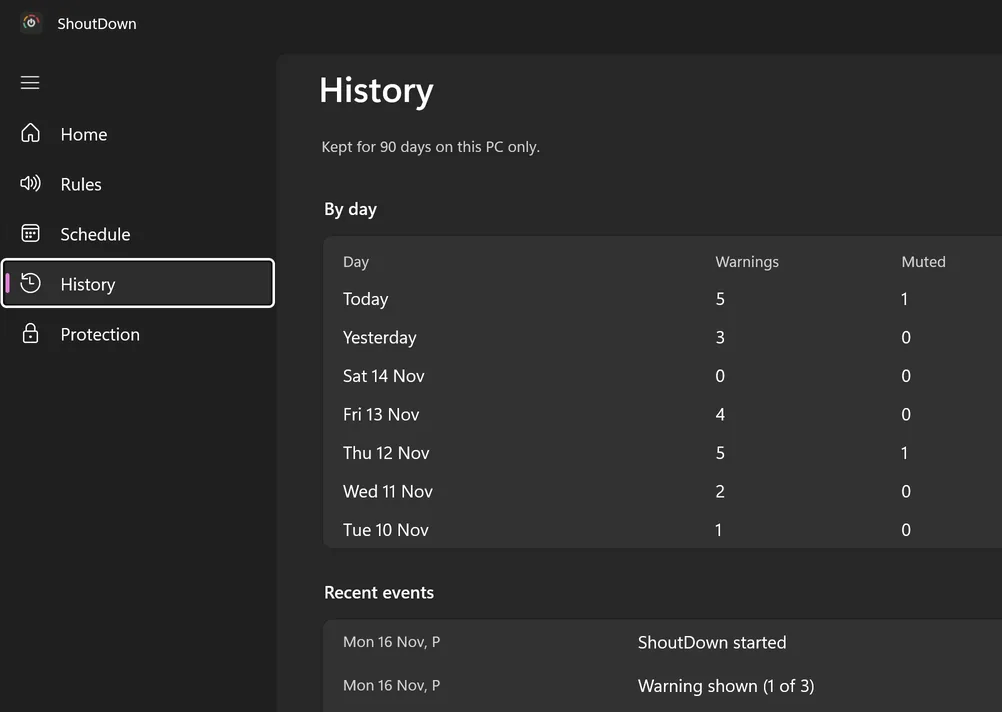
See warnings, mutes, locks and any attempt to close the app. Kept on the PC for 90 days.
Works with headsets
Pick the headset mic and ShoutDown hears your child, not the TV in the next room.
Your rules
Set it up once. It does the rest.
Rules that fit your home
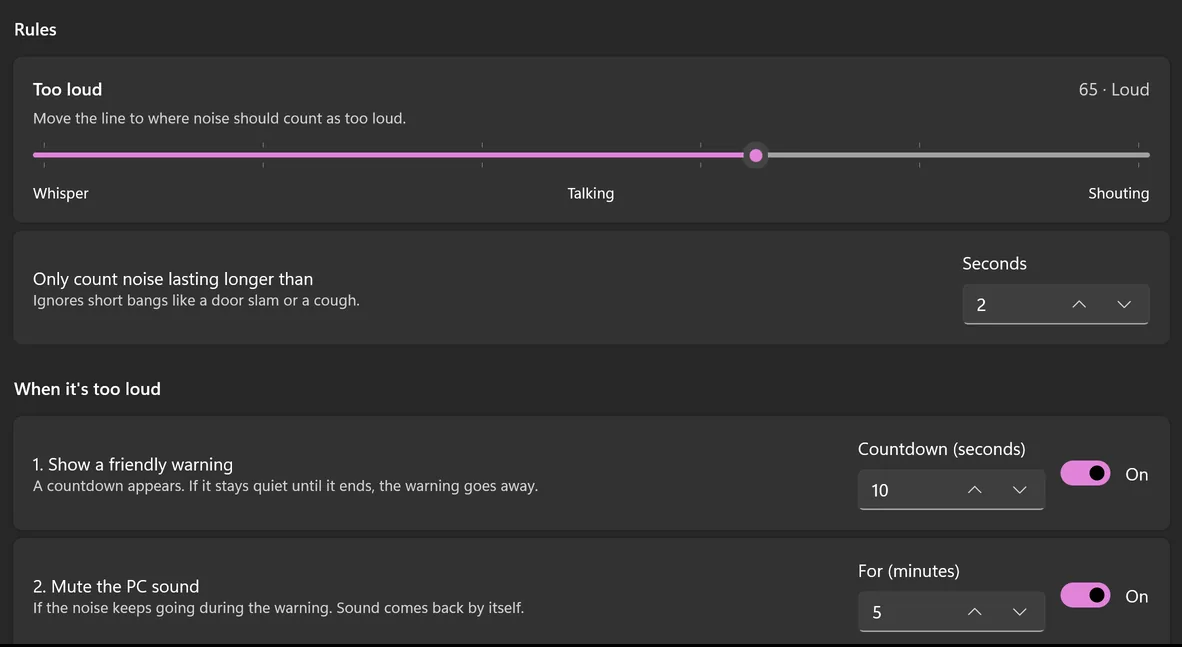
Move the line to where noise should count as too loud. Then switch on the steps you want: warning only, warning and mute, or all three.
- Choose how long the countdown lasts.
- Choose how long the sound stays muted.
- Test the warning before you rely on it.
Quieter at bedtime
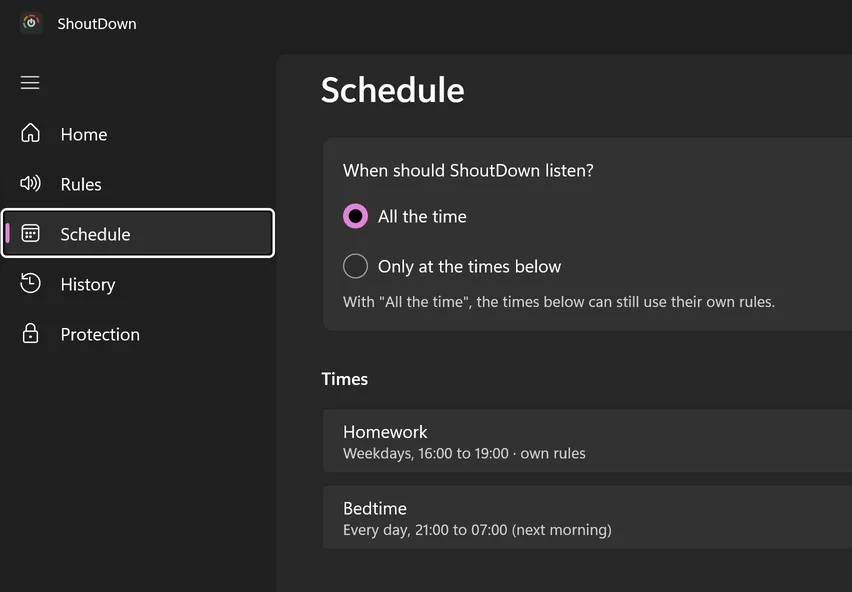
Have ShoutDown listen all the time, or only at the times you pick. Each time slot can have its own rules, so bedtime can be stricter than a Saturday afternoon.
See how each day went
History shows warnings, mutes and locks by day, and any time ShoutDown was closed without the PIN. It’s kept for 90 days, on this PC only.
Parent PIN protection
Your child can’t just close it.
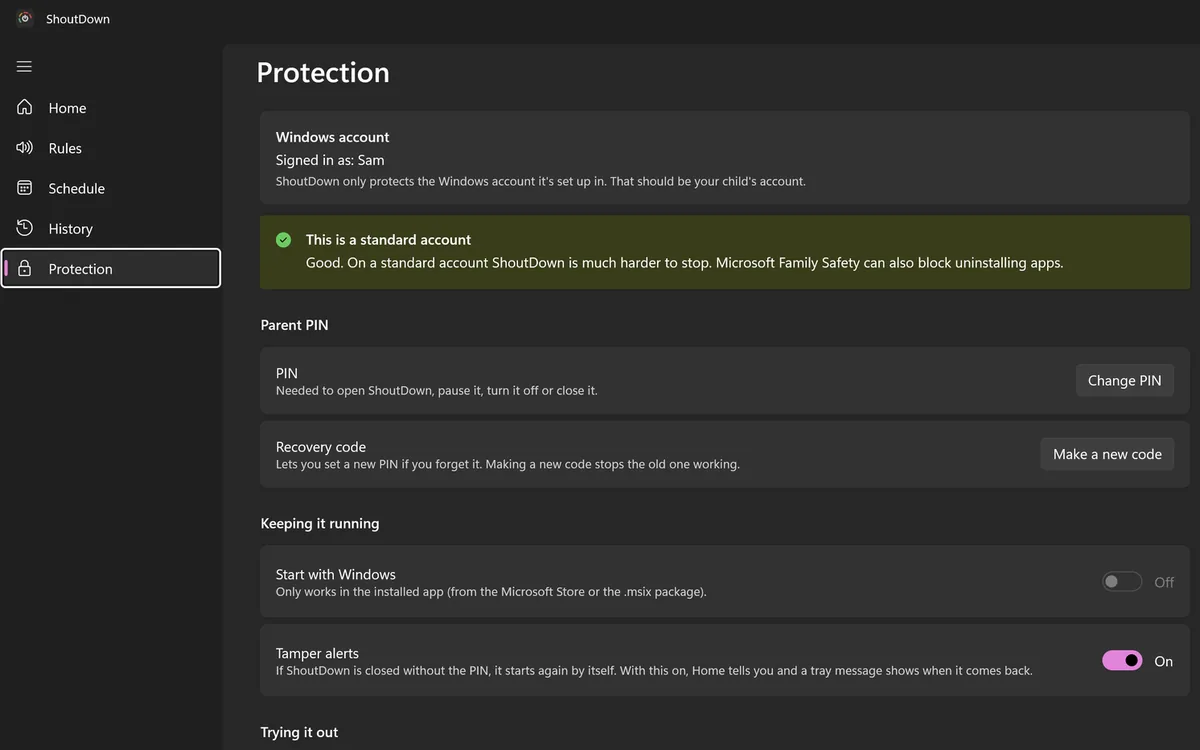
ShoutDown is built to stay on. Your PIN guards the things a child might try.
- Opening, pausing, changing settings and closing all need the parent PIN.
- It starts with Windows. If it’s ended another way, a helper starts it again.
- Tamper alerts tell you when it was closed without the PIN, and it’s logged in History.
- Forgot the PIN? Use the recovery code you saved during setup.
- Practice mode lets warnings show while nothing is muted or locked, so everyone can get used to it.
One honest tip: if your child’s Windows account is an administrator, they can remove any app, including this one. Give them a standard account for the best protection. Microsoft Family Safety can also block uninstalling apps.
Privacy
Nothing leaves your PC.
ShoutDown only asks one question: is it too loud right now? That’s all it ever measures.
-
Sound is never recorded
Sound is checked a few hundredths of a second at a time and thrown away straight after. Only the loudness number is used. There’s no speech recognition.
-
Stays on your PC
Your settings, PIN and history are kept on the computer. Nothing is stored online or sent to us or anyone else.
-
No account. No tracking.
No sign-up, no adverts, no analytics. This website has no trackers or cookies either.
Price
£2.99
Paid once, after your free trial. No subscription.
- Sound never recorded, stored or sent
- Windows 10 and Windows 11
- Bought and updated through the Microsoft Store
- No account, no adverts
Questions
Does it record my child?
No. ShoutDown measures how loud it is, moment to moment, on the PC. Nothing is recorded, stored or sent.
Will it go off when the dog barks or a door slams?
Short bangs are ignored. You choose how many seconds noise must last before it counts (for example, 2 seconds).
What if they wear a headset?
ShoutDown listens to the mic you pick, so a headset mic is ideal: it hears your child, not the TV in the next room. If that mic is unplugged, it uses the default one until it’s back.
Do I have to use the lock?
No. Turn on only the steps you want: warning only, warning and mute, or all three.
Can my child just close it?
Closing, pausing and settings need your PIN. If it’s ended another way, it starts again and it’s logged in History. A child with an administrator account can still uninstall it, so use a standard account.
I forgot my PIN.
Use the recovery code you saved during setup to set a new PIN.
What does it cost?
£2.99, paid once, after a 7-day free trial. No subscription. The trial and purchase are handled by the Microsoft Store.
Which PCs does it work on?
Windows 10 and Windows 11, on x64, ARM and x86 PCs. You need a microphone (built-in, USB or headset).
How do I get help?
Support details are on ShoutDown’s Microsoft Store page.